
Trail camera cloud service · any model with email or MMS
Trail camera images on your phone — animals already identified.
Zeemage is a camera cloud service that gathers the images from all your trail and security cameras into one gallery, whatever the brand. It names the animal, person or vehicle in each image, and you get a notification only about what you choose: a moose at the feeder, a person at the cabin.
One month free with all features, no payment card needed. After that the lighter free BASIC plan, or a paid plan with all features from 5 € a month (40 € for 12 months).
Any model with email or MMS
For example Bolyguard, Burrel, Niteforce, Suntek, Uovision and many others
Nothing to install
Runs in the browser of your phone, computer and TV
Stored within the EU/EEA
Your images stay yours
15 languages
Suomi, Svenska, Norsk, Eesti, Deutsch and ten more
One gallery
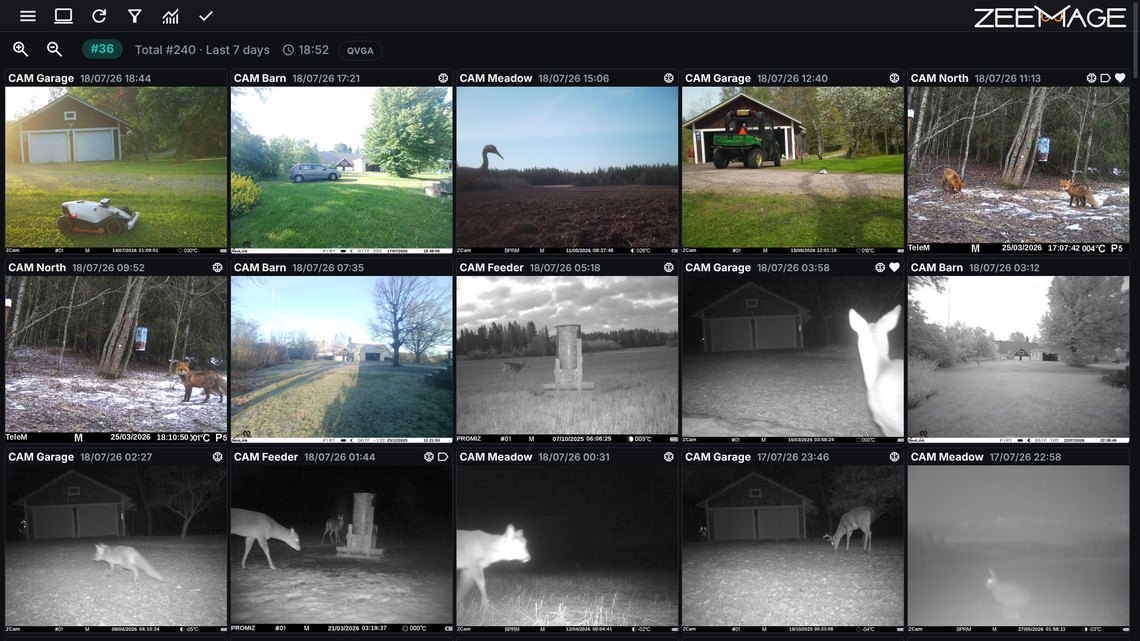
Every trail camera you own, in one gallery
Mixed brands, old and new, forest and yard: every image lands in the same gallery, in time order, under the camera's own name. Use it on your phone in the hide, on the computer at home or in the TV's browser in the living room.
- Search by camera, time, your own tags or what was detected
- Control room: the latest image of every camera at one glance
- Timelines: see at what hours there is most movement in front of your cameras.
Automatic object detection
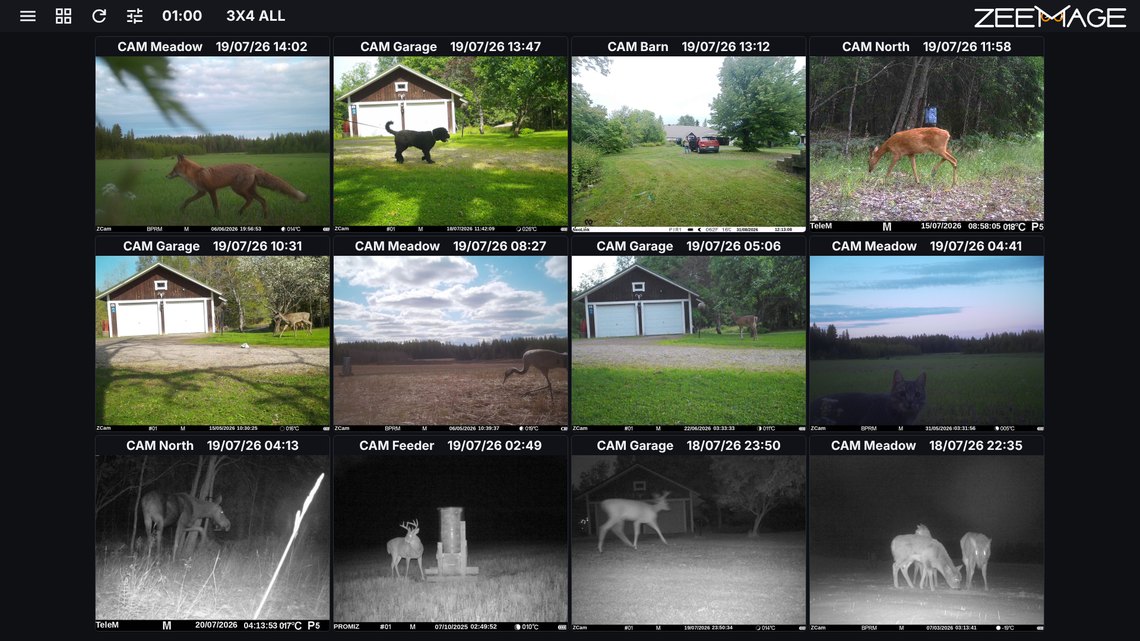
Object detection names the animal, person or vehicle
Images are analysed and classified as they arrive: animal, person or vehicle, and for animals the species or family. You can view only the images that have something in them and skip the empty ones set off by swaying branches.
- Moose
- White-tailed deer
- Roe deer
- Red fox
- Raccoon dog
- Badger
- Person
- Vehicle
Included in the free month and in the paid plans. You turn it on in the camera's settings. You can correct a result.
Species lists cover the Nordic countries, most of Europe and North America, and are expanded continuously. Elsewhere animals are named to family level.
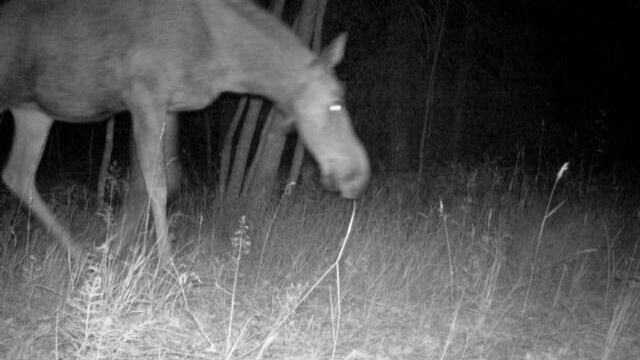
Image comparison and enhancement
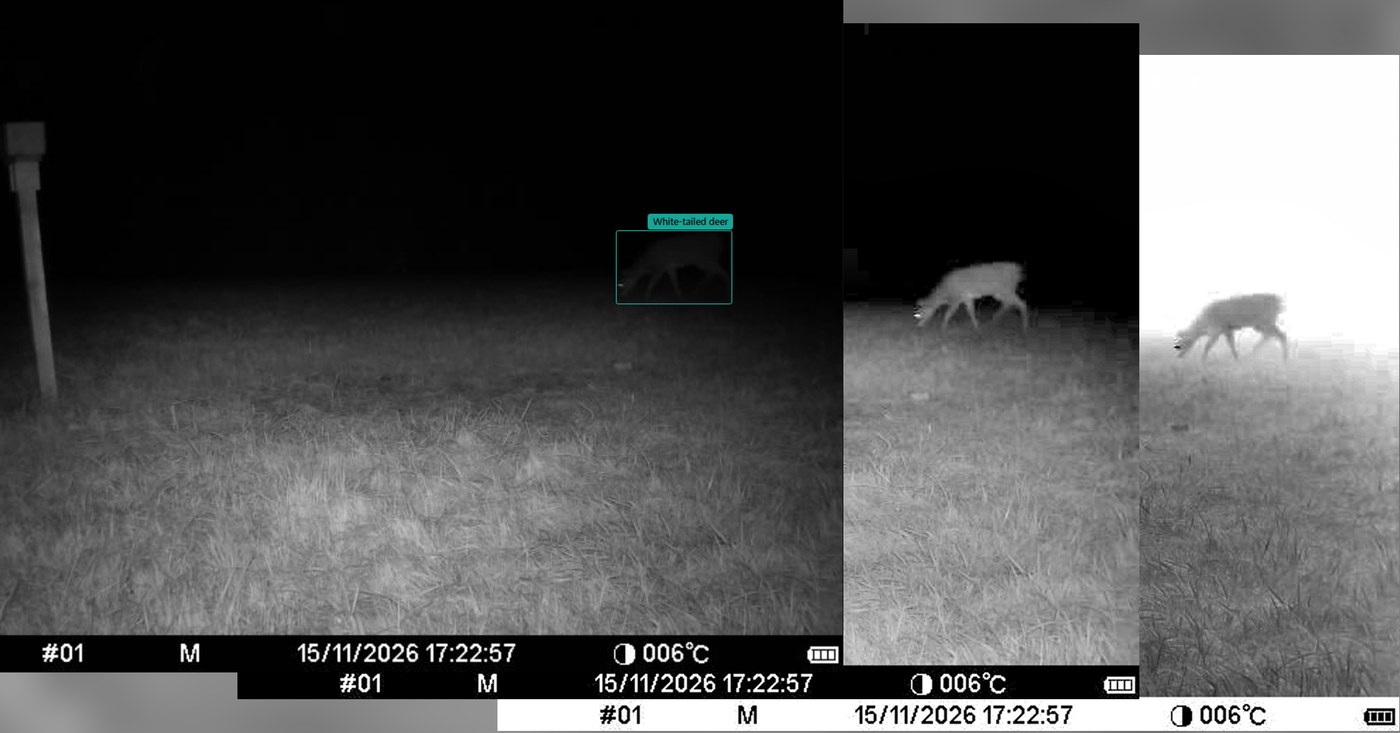
Image enhancement brings out what a dark image hides
Some night images are too dark to tell what is there. Image enhancement adjusts the image so that hidden objects become visible. Tools such as spot contrast, flash correction and negative bring out details you would otherwise miss.
- Compare two images from the same camera: drag the divider across them, fade one into the other, or let them flicker so that a change shows as movement.
- Zoom several images to the same area and see what differs.
- The original image is preserved. You can switch back to it at any time.
Comparing is included in every plan. Image enhancement is included in the free month and in the paid plans. It works best on dark, hazy or low-contrast images; a heavily blurred or completely dark image may not improve.
Notifications and sharing
Notifications only for what matters, when you want them
Choose what you want to hear about. Everything else waits quietly in the gallery. Invite your hunting party or your family to a shared group, and they see the same images as you do.
- Group sharing and notification of new images at the hours you choose, in every plan, the free one too
- Notifications only for the objects you choose: animal, person or vehicle (in the paid plans)
- Share links for people without an account (in the paid plans)
Each member needs their own account, which can be the free one. Shared images count toward that member's own limits.
How it works
Connect a trail camera in three steps
No new SIM card, no new app, no box at home. The camera keeps doing what it does; it just gets one more address to send to.
Create your account
You get a personal feed email address for your cameras.
Add the address to the camera
Enter it as an email or MMS recipient, or forward the pictures to it from the mailbox your camera already uses.
Images arrive, already analysed
Turn on automatic object detection in the camera's settings. From then on every image lands in your gallery, named by what is in it.
Will my camera work?
Yes, if its menu has an Email/SMTP or MMS setting, whatever the brand. MMS cameras work as long as your operator supports MMS to email. These brands have models that do:
- Bolyguard / ScoutGuard
- Burrel
- KeepGuard
- Ltl Acorn
- Niteforce
- Spromise
- Suntek
- Uovision
Do not work: cameras that send pictures only to their maker's own app or cloud. Their pictures cannot be sent anywhere else.
Examples only. Zeemage is not affiliated with these manufacturers.
See how to connect your cameraWho uses it
Made for the people who run the cameras
Hunters and hunting clubs
Game movement, feeding sites and the busiest hours, seen by the whole party at the same time.
Cabin, yard and farm
Know who or what came by while you were away: a person at the cabin, a vehicle at the gate.
Wildlife watchers
Night visitors, species and activity through the seasons, without sitting through every frame.
Pricing
Start free. After that, all features from 5 € a month.
Every new account starts with a free month at STANDARD level, no payment card needed. No plan limits the number of cameras.
BASIC
0 €
Free, no time limit
- 1 000 images a month · 500 MB
- Unlimited cameras
- Notification of new images, group sharing
- Favorites
STANDARD
5 € a month
or 40 € for 12 months
- 4 000 images a month · 2 000 MB
- Automatic object detection, species included
- Notifications by object
- Image enhancement
- Share links
- Own tags
LARGER PLANS
- ADVANCED · 10 € a month10 000 images a month · 5 000 MB
- PREMIUM · 20 € a month20 000 images a month · 10 000 MB
- BUSINESS · ask usSeveral users on one account
You get a warning at 90 % of a limit. When the monthly feed limit is reached, new images are not processed or stored until the period changes.
Questions
What people ask first
Which trail cameras work with Zeemage?
Any camera that sends its pictures by email or MMS, or whose pictures arrive in a mailbox that can forward them. As long as your operator supports MMS to email, MMS messages reach Zeemage too. Cameras tied to their maker's own app or cloud do not work. Zeemage's own SMTP server does not accept unencrypted sending (port 25). A camera that can only send unencrypted can still reach your feed email address if it sends through another mail server that accepts it. Some mobile operators offer one; ask yours.
Do I need a new SIM card or an app?
No. The camera's SIM card and settings stay as they are. Zeemage runs in the browser; on a phone you can add it to the home screen.
What does it cost?
The first month is free with all features, at STANDARD-level limits. After that BASIC is free: 1 000 images a month, 500 MB. Paid plans with object detection, notifications by object, image enhancement and share links start at 5 € a month or 40 € for 12 months.
Can my hunting club see the images?
Yes, if you want it to. Invite the members to a shared group and choose which cameras you share with them. Each member needs their own account, which can be the free one. Shared images count toward that member's own limits. With a paid plan you can also send a share link to someone who has no account.
Does it recognise the species?
Yes. Zeemage recognises animals, people and vehicles, and for animals the species, chosen from those that live where your camera is. If a result is wrong, you can correct it. Species lists cover the Nordic countries, most of Europe and North America, and are expanded continuously. Elsewhere animals are named to family level.
Where are my images stored?
Within the EU/EEA. The images stay yours, and you set how long they are kept, within your plan's limits.
What is the best trail camera?
There is no single best trail camera. Most current models take a usable picture day and night, so the right choice depends on what you need it for. Before you buy, check two things the spec sheet does not show: where the pictures can be sent, and whether you can change that later. A camera that sends by email leaves both to you. How to choose a trail camera
See what your cameras saw last night
Connect your first camera in a few minutes. One month free with all features, no payment card needed. No camera at hand right now? Try the demo, which sends 10 sample images and videos to your account.
Start free